
If you're evaluating a Massey Ferguson tractor or considering an upgrade, you've probably come across terms like FUSE technology, MF Connect, and telematics. Here's the plain-English breakdown — and why it matters if you're farming or ranching in Arizona or Southern California.
Arizona growers face a unique set of challenges: 110°F summer temperatures that push equipment to its limits, water restrictions that demand precise application, a shrinking ag labor pool, and harvest windows that leave zero margin for unexpected downtime. Massey Ferguson's FUSE technology platform was built to tackle exactly those kinds of problems — giving you real-time visibility into your machines, your inputs, and your operation as a whole.
What Is Massey Ferguson FUSE Technology?
FUSE is Massey Ferguson's open digital farming platform, developed by AGCO — MF's parent company. Think of it less as a single product and more as an integrated ecosystem of smart farming tools that all work together and connect to a single cloud-based hub.
What makes FUSE stand out from other OEM technology platforms is its open-architecture design. You're not locked into a closed system — FUSE is designed to work with mixed fleets and integrates with most major farm management software, which is a significant advantage if you run multiple brands of equipment across your operation.
The FUSE platform includes several key technologies:
- MF Connect — telematics and remote fleet management
- MF Guide — hands-free GPS auto-steering with sub-centimeter accuracy options
- Datatronic 5 — the 9" touchscreen terminal that serves as the cockpit for all FUSE tools
- MF Section Control — automatic implement shutoff to eliminate overlap and input waste
- MF Task Doc — digital field records, job logging, and data transfer
- MF Rate Control — variable rate application for precise input management
MF Connect: Telematics for the Real World

MF Connect is the telematics backbone of the FUSE system — and for many Arizona operators, it's the tool with the most immediate payback. Here's what it actually does:
At its core, MF Connect collects real-time machine data — GPS location, engine load, fuel consumption, operating hours, fault codes, and service status — and transmits it to a secure cloud platform accessible from any desktop, tablet, or smartphone. You can monitor your entire fleet from the house, the road, or the office.
MF Connect comes standard with a free 5-year subscription on select 6-cylinder Massey Ferguson tractors. Terms apply — ask our team at any Bingham Equipment location for current eligibility details.
Remote Monitoring & Fleet Visibility
If you run multiple machines across a large operation — or employ seasonal workers you can't always be right next to — MF Connect gives you a live dashboard of where each machine is, what it's doing, and how it's performing. Fuel burn, engine load, idle time, and active work hours are all tracked and summarized so you can make better logistics decisions and identify inefficiencies before they become problems.
Dealer-Integrated Service Alerts
This is where MF Connect really earns its keep in a desert climate. With owner permission, MF Connect can send diagnostic notifications directly to your Bingham Equipment service team when a machine flags a potential issue — before it becomes a full breakdown. That means a tech can reach out proactively to schedule service during a slow window, rather than scrambling during a critical harvest or planting period when 110° heat is already stressing your equipment.
Geofencing & Security
Define virtual perimeters around your property or job sites. MF Connect sends an instant alert to your phone whenever a machine crosses those boundaries — whether that's a confirmation that your operator arrived at a field, or an immediate heads-up that equipment has moved somewhere unexpected overnight. Equipment theft and unauthorized use are genuine concerns on large rural properties in Arizona and the Imperial Valley.
Live GPS Location
Track every machine in your fleet in near real-time from any device, anywhere.
Fleet Dashboard
Compare fuel use, engine load, and work time across all your machines in one view.
Proactive Service Alerts
Fault codes and maintenance triggers sent directly to your dealer before breakdowns happen.
Geofencing Alerts
Instant mobile notification if equipment leaves a defined zone — day or night.
MF Guide: Precision GPS Steering That Pays for Itself
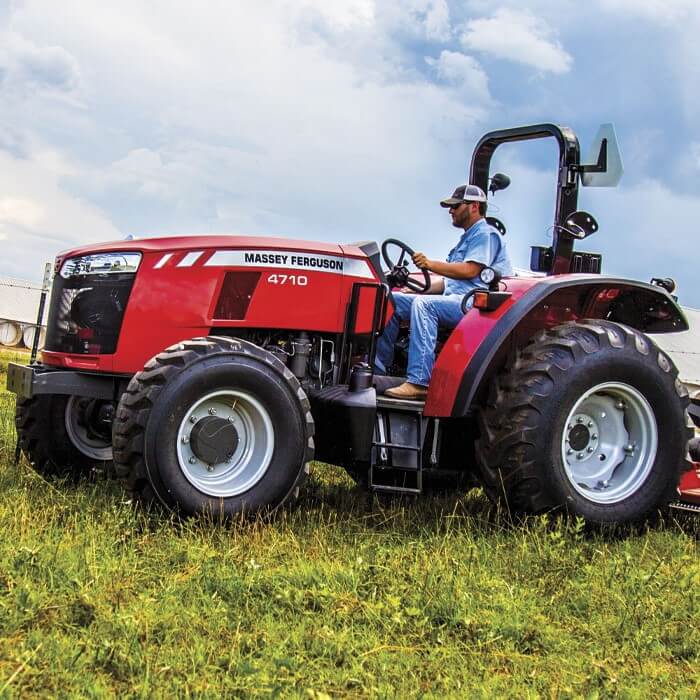
MF Guide is Massey Ferguson's hands-free auto-steering system, available factory-fitted on new tractors or as a retrofit for existing equipment. For Arizona and Imperial Valley row crop growers, it's one of the most tangible ROI tools in the FUSE lineup.
Here's the economics: research shows that precision guidance systems can reduce fuel consumption by up to 12% by eliminating passes from overlap. For an operator running a tractor 1,000+ hours per season in the desert, that's a meaningful dollar figure. Add in the savings on seed, fertilizer, pesticide, and water from not applying inputs to already-covered ground, and the system can pay for itself faster than most people expect.
Accuracy Levels — Which Do You Need?
MF Guide offers three tiers of accuracy depending on your operation's needs:
- Sub-metre accuracy — suitable for most tillage, baling, and general field work
- Decimetre (10cm) accuracy — ideal for fertilizer application, spraying, and strip-till
- Centimetre (RTK) accuracy — required for precision planting, transplanting, and permanent bed systems common in Yuma-area vegetable production
All three levels operate through the Datatronic 5 terminal, and the system offers a "Go Mode" that gets you up and running in under five minutes.
MF Section Control: Stop Wasting Inputs
In a state where water is the most valuable input and every dollar of fertilizer and chemical matters, MF Section Control is worth a serious look. The system uses GPS position data to automatically shut off individual boom sections — on sprayers, planters, and seeders — the instant they pass over already-covered ground.
The result: zero overlap on inputs. No double-spraying headland corners. No double-seeding the end rows. For Imperial Valley growers running large sprayers on tight vegetable rotations, and for Yuma-area operations managing water-based inputs precisely, the savings compound quickly across a season.
How FUSE Technology Addresses Arizona's Biggest Farm Challenges
Datatronic 5: One Screen for Everything
All of the FUSE tools run through the Datatronic 5, a 9-inch touchscreen terminal that uses the same interface logic as a modern tablet. Operators can adjust hydraulics, transmission settings, engine parameters, and headland management — all from a single display — without hunting through nested menus.
The familiar smartphone-style interface significantly reduces the learning curve for new operators, which matters on farms where training time is limited and seasonal workers need to be productive quickly. Data recorded on the terminal can be transferred wirelessly or via USB for use in most farm management software platforms.
MF Task Doc: Field Records Without the Paperwork
Compliance, recordkeeping, and input documentation are increasingly important in Arizona agriculture — especially for growers supplying to major food retailers or operating under water use reporting requirements. MF Task Doc records job data — including GPS positioning, input quantities, and coverage maps — automatically as you work, and exports it in ISOBUS-standard format compatible with virtually any farm management information system.
Task Doc Pro adds the ability to create prescription maps and transfer data in real time, enabling variable-rate applications based on field-specific data — the next step for operations moving into data-driven precision ag.
MF Connect Video Guides
These official Massey Ferguson walkthrough videos cover everything from setting up your account to adding and sharing machines — a great starting point before you talk to our team at the Yuma location.